Introduction
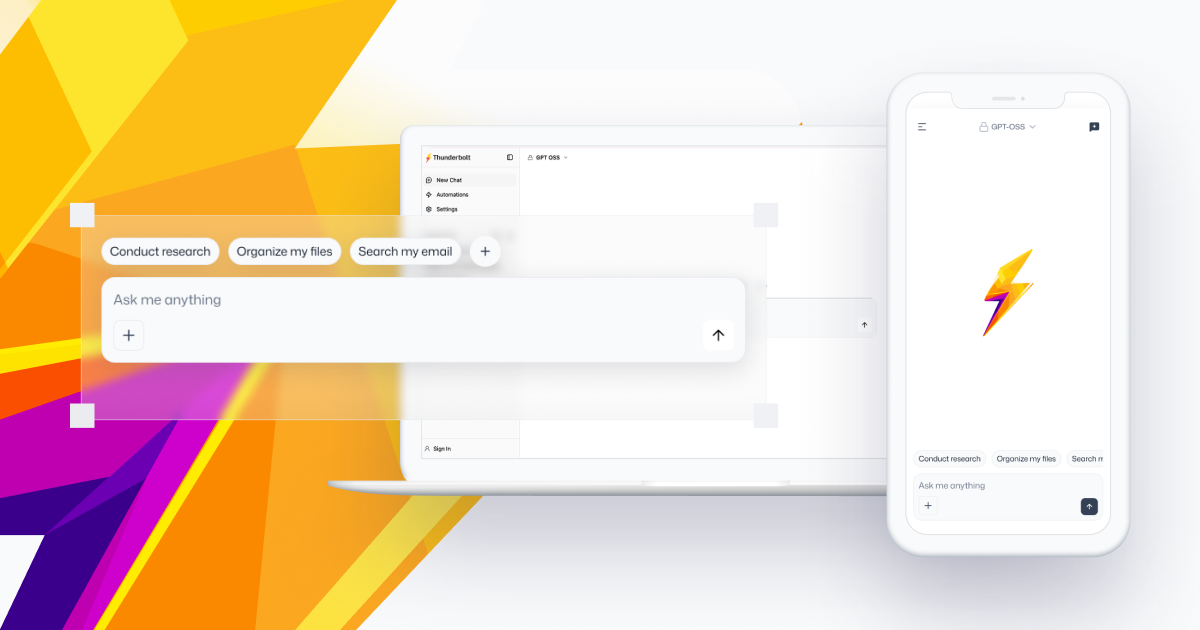
Thunderbolt is an open-source AI workspace where you can connect to any ACP-compatible agent and comes with a native Thunderbolt agent out of the box. It has clients for web, desktop (macOS, Windows, Linux), and mobile (iOS and Android), and supports most agents and models (e.g. Claude Code, Hermes, Pi, Codex, OpenClaw).
What you get
Your agents. Thunderbolt’s built-in assistant answers chats out of the box, and any chat can be pointed at an external agent instead over the open Agent Client Protocol: Claude Code, Codex, Pi, Hermes, OpenClaw, or one you run yourself. Agents your backend serves appear automatically; users can add their own in Settings → Agents, including one running on their own laptop, with no network setup. See Agents.
Your models. Anthropic, OpenAI, OpenRouter, or any OpenAI-compatible endpoint. Ollama and llama.cpp can be used with free local models. You can also give the server its own provider keys and serve a managed catalog with per-account spend limits, so people can start chatting without holding a key at all. A key a user supplies is stored on the device that added it and is never synced. See Models.
Your infrastructure. The whole server stack runs on a single Docker host, a Kubernetes cluster, or AWS and supports SSO. Each target has a ready-made template: Docker Compose, the Helm chart, and the Pulumi AWS stack.
Your data. Each device keeps its own local database and reads and writes there first. Optional cross-device sync enables data to be shared between all devices. Every Thunderbolt deployment supports optional end-to-end encryption so that the server cannot access chat histories. Enterprise deployments support optional key escrow.
Your identity provider. Sign-in runs through OIDC or SAML against the identity provider you already operate. Deployments without one can use emailed sign-in codes instead. You choose which method to run, and only one is active at a time. See Authentication.
Your extensions. Connect Model Context Protocol (MCP) servers, external coding agents, and reusable instruction bundles called skills; see Customize.
Who it is for
We built Thunderbolt for organizations deploying on-premises. Individuals can self-host it too, but a backend is currently required for sign-in and for web search, so “install and run” means running the server stack as well.
What it costs
Thunderbolt is free and open-source under the Mozilla Public License 2.0, funded through a dedicated investment from Mozilla. Enterprise support is available.
Where to go next
| If you want to… | Start here |
|---|---|
| See what Thunderbolt can do | Using Thunderbolt |
| Know what you can plug into it | Customize: models, agents, skills, connections |
| Run it on one machine to evaluate it | Docker Compose |
| Deploy it for an organization | Self-Hosting overview |
| Wire it to your identity provider | Authentication |
| Look up a setting or environment variable | Configuration reference |
| Understand link previews and the in-app browser | WebView |
| Ask a common question | FAQ |
Found a bug or have a request? File an issue. For a security vulnerability, use the private reporting form instead of a public issue.